How to setup Docker model runner on Fedora OS
Here in this article we will try to setup Docker model runner to run and manage AI models locally and leverage them in AI applications.
Test Environment
- Fedora 41 server
- Docker v28.5.2
Docker Model Runner
Docker Model Runner (DMR) lets you run and manage AI models locally using Docker. Models are pulled from Docker Hub, an OCI-compliant registry, or Hugging Face the first time you use them and are stored locally. They load into memory only at runtime when a request is made, and unload when not in use to optimize resources. Because models can be large, the initial pull may take some time. After that, they’re cached locally for faster access.
If you are interested in watching the video. Here is the YouTube video on the same step by step procedure outlined below.
Procedure
Step1: Ensure Docker installed and running
As a first step ensure that you have docker installed and running on your machine. Follow “Install Docker Engine on Fedora” for the same.
admin@linuxser:~$ docker --version
Docker version 28.5.2, build ecc6942

admin@linuxser:~$ sudo systemctl start docker.service
admin@linuxser:~$ sudo systemctl status docker.service
Step2: Install Docker model runner plugin
Here we need to install the “docker-model-plugin” to run and manage AI models locally.
admin@linuxser:~$ sudo dnf install docker-model-plugin
admin@linuxser:~$ docker model version
Client:
 Version:    v1.1.8
 OS/Arch:    linux/amd64

Server:
 Version:    (not reachable)
 Engine:     Docker Engine
Step3: Pull GGUF compatible model image
Docker Model Runner (DMR) allows you to run a wide variety of Large Language Models (LLMs) and generative AI models locally. It functions by pulling models as OCI artifacts and serving them through built-in inference engines like llama.cpp, vLLM, and Diffusers.
Here is the list of supported model formats.
- GGUF: The primary format for local CPU and GPU inference via the llama.cpp engine.
- Safetensors: Used for high-throughput production inference via the vLLM engine and for image generation.
Here we are going to pull “bartowski/Llama-3.2-1B-Instruct-GGUF” model which is a repository of quantized versions of Meta’s Llama 3.2 1B parameter instruction-tuned model. These GGUF files are designed to allow the lightweight model to run on local machines.
admin@linuxser:~$ docker model pull hf.co/bartowski/Llama-3.2-1B-Instruct-GGUF
latest: Pulling from docker/model-runner
5f528443f346: Pull complete
9d7db96ef8a1: Pull complete
a06403e5c64b: Pull complete
e7f277a0e57c: Pull complete
851aa95ecd2d: Pull complete
4f4fb700ef54: Pull complete
8039c435bbd8: Pull complete
bd6e1b796515: Pull complete
2eef105b568f: Pull complete
3b4ae614ede8: Pull complete
5e75d2484e8d: Pull complete
Digest: sha256:d3d33e63dff5ca93426ff7607b8f174551bb5377e2a6ba82247bbb3f540efa5a
Status: Downloaded newer image for docker/model-runner:latest
Successfully pulled docker/model-runner:latest
Creating model storage volume docker-model-runner-models...
Starting model runner container docker-model-runner...
f2900d93efae: Pull complete [==================================================>]  807.7MB/807.7MB
b33563055168: Pull complete [==================================================>]  24.34kB/24.34kB
6f85a640a97c: Pull complete [==================================================>]  807.7MB/807.7MB
Model pulled successfull
As you can see a docker volume is created to store the models and container is instantiated for docker model runner.
admin@linuxser:~$ docker volume ls
DRIVER    VOLUME NAME
local     docker-model-runner-models
admin@linuxser:~$ docker ps
CONTAINER ID   IMAGE                        COMMAND               CREATED         STATUS                     PORTS                                                     NAMES
085cb95b947c   docker/model-runner:latest   "/app/model-runner"   4 minutes ago   Up 4 minutes (unhealthy)   127.0.0.1:12434->12434/tcp, 172.17.0.1:12434->12434/tcp   docker-model-runner
Step4: Run GGUF compatible model image
Now, we will run the downloaded model and pass a message asking “What is the lastest version of python and its top 5 new features”.
Here is the below response from the model based on the data that it was last trained upon.
admin@linuxser:~$ docker model run hf.co/bartowski/Llama-3.2-1B-Instruct-GGUF "What is the lastest version of python and its top 5 new features"
As of my cut-off knowledge date (December 2023), the latest version of Python is Python 3.10. The Python Software Foundation (PSF) has released Python 3.10 with the following key features:

**Python 3.10:**

1.  **Improved Performance**: Python 3.10 boasts significant performance improvements, particularly when it comes to large datasets.
2.  **New `asyncio` Module**: The `asyncio` module, introduced in Python 3.8, is now a built-in module. This allows for asynchronous programming in Python.
3.  **`concurrent.futures` Module**: This module provides a high-level interface for asynchronously executing callables.
4.  **`types` Module**: The `types` module provides a more comprehensive set of data types than before.
5.  **`asyncio` and `concurrent.futures` Integration**: The `asyncio` and `concurrent.futures` modules are now tightly integrated, making it easier to write asynchronous code.

**Top 5 New Features:**

1.  **Improved Support for C++ and C++17**: Python 3.10 includes improved support for C++ and C++17 features.
2.  **`decimal` Module**: The `decimal` module allows you to represent decimal numbers as fractions, which can be useful for financial calculations.
3.  **`pybind11` Library**: The `pybind11` library allows you to create C++ bindings from Python, making it easier to use C++ functions from Python.
4.  **Improved Support for WebAssembly**: Python 3.10 includes improved support for WebAssembly, allowing you to write WebAssembly applications in Python.
5.  **`trio` Library**: The `trio` library provides a high-level interface for creating, running, and managing Rust programs from Python.

Please note that the information provided is based on my cut-off knowledge date (December 2023) and may not reflect any changes or updates made after that date.
Step5: Load Model
We can also run the model in detached mode. The model will be loaded into memory and will be in running state for 5 minutes after which it is unloaded automatically if there are no requests to that model within that timeframe.
admin@linuxser:~$ docker model run --detach hf.co/bartowski/Llama-3.2-1B-Instruct-GGUF

admin@linuxser:~$ docker model ls
MODEL NAME                                           PARAMETERS  QUANTIZATION   ARCHITECTURE  MODEL ID      CREATED        CONTEXT  SIZE
huggingface.co/bartowski/llama-3.2-1b-instruct-gguf  1.24B       MOSTLY_Q4_K_M  llama         43a02806ac7a  19 months ago  131072   762.81MiB
admin@linuxser:~$ docker model ps
MODEL NAME                                  BACKEND    MODE        UNTIL
hf.co/bartowski/Llama-3.2-1B-Instruct-GGUF  llama.cpp  completion  4 minutes from now
Step6: Unload model
We can also manually unload the model using the “docker model unload” as shown below.
admin@linuxser:~$ docker model unload hf.co/bartowski/Llama-3.2-1B-Instruct-GGUF
Unloaded 1 model(s).
Step7: Use Model REST API
Here we are going to use the REST API listing on port “12434” which can be used to communicate with the model and to send message to the model.
admin@linuxser:~$ curl http://localhost:12434/api/chat   -H "Content-Type: application/json"   -d '{
    "model": "hf.co/bartowski/Llama-3.2-1B-Instruct-GGUF",
    "messages": [
      {"role": "user", "content": "What is Huggingface in 10 words"}
    ],
    "stream": false
  }'
{"model":"hf.co/bartowski/Llama-3.2-1B-Instruct-GGUF","created_at":"2026-05-07T11:42:07.597694206Z","message":{"role":"assistant","content":"Huggingface is an open-source AI platform for natural language processing research and development."},"done":true}
We can also create a bidirectional pipe as hack which will accept requests on port “12435” from a remote server and forward it to LLM model host system on port 12434 and send the response back.
admin@linuxser:~$ mkfifo pipe; nc -l -p 12435 < pipe | nc 127.0.0.1 12434 > pipe
Now we can access the REST API remotely as shown below.
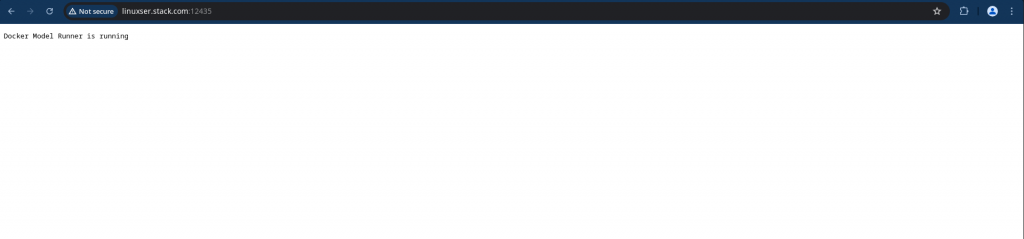
admin@fedser:~$ curl http://linuxser.stack.com:12435/api/chat   -H "Content-Type: application/json"   -d '{
    "model": "hf.co/bartowski/Llama-3.2-1B-Instruct-GGUF",
    "messages": [
      {"role": "user", "content": "What is Huggingface in 10 words"}
    ],
    "stream": false
  }'
{"model":"hf.co/bartowski/Llama-3.2-1B-Instruct-GGUF","created_at":"2026-05-07T11:44:43.462776052Z","message":{"role":"assistant","content":"Hugging Face is a platform for open-source AI research and development."},"done":true}
A Unix/Linux FIFO (First-In, First-Out) pipe, or named pipe, is a special file on the filesystem that allows two or more unrelated processes to communicate with each other.
NOTE: It is recommended to setup a reverse proxy such as httpd or nginx with proxypass for remote access to docker model runner as a permanent solution.
Hope you enjoyed reading this article. Thank you..

Leave a Reply
You must be logged in to post a comment.